
What you used, and what it cost
The impact page, the Went to waste exit, the stores you shop at, and the price history of everything you buy.
Tracking dates is only half of it. Still Good also keeps score, so you can see whether things are getting better.
Two ways out of the kitchen
When something leaves your kitchen, it leaves in one of two ways. Swipe a row and tap Used up, or tap Went to waste. Both are undoable. If you never say either and the date passes, Still Good counts the item as past its date, so nothing slips through just because you forgot to tap.
The impact card
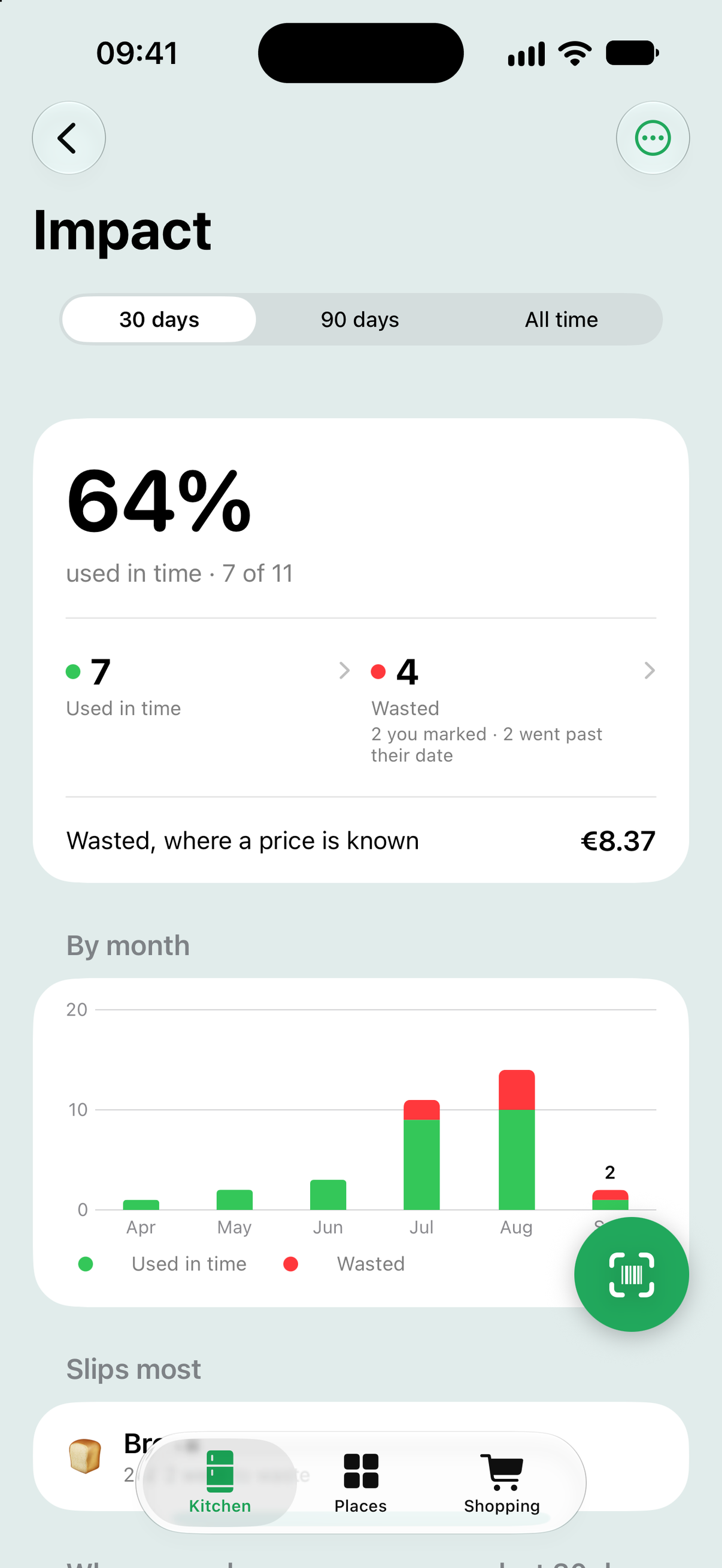
Once anything has left, a card appears under the brief in your kitchen: the share you used in time, how many went to waste, and what the wasted ones cost when a price is known. Tap it for the full page.
The impact page
Pick 30 days, 90 days or all time. The two tiles split what went to waste into what you marked and what went past its date, and each opens a list where you can change your mind: mark something as used after all, forget a row, or put it back in the kitchen. Below that, month by month bars, and Slips most: the products that keep going to waste. Start over, in the menu, clears the history and keeps everything else.
Where you shop
Every store you have bought from, with what you spent there in the chosen range. Tap one to see your buys month by month, grouped by product or one row per buy, and tap any buy to correct its price or store. No store yet gathers the buys recorded without one.
Price history
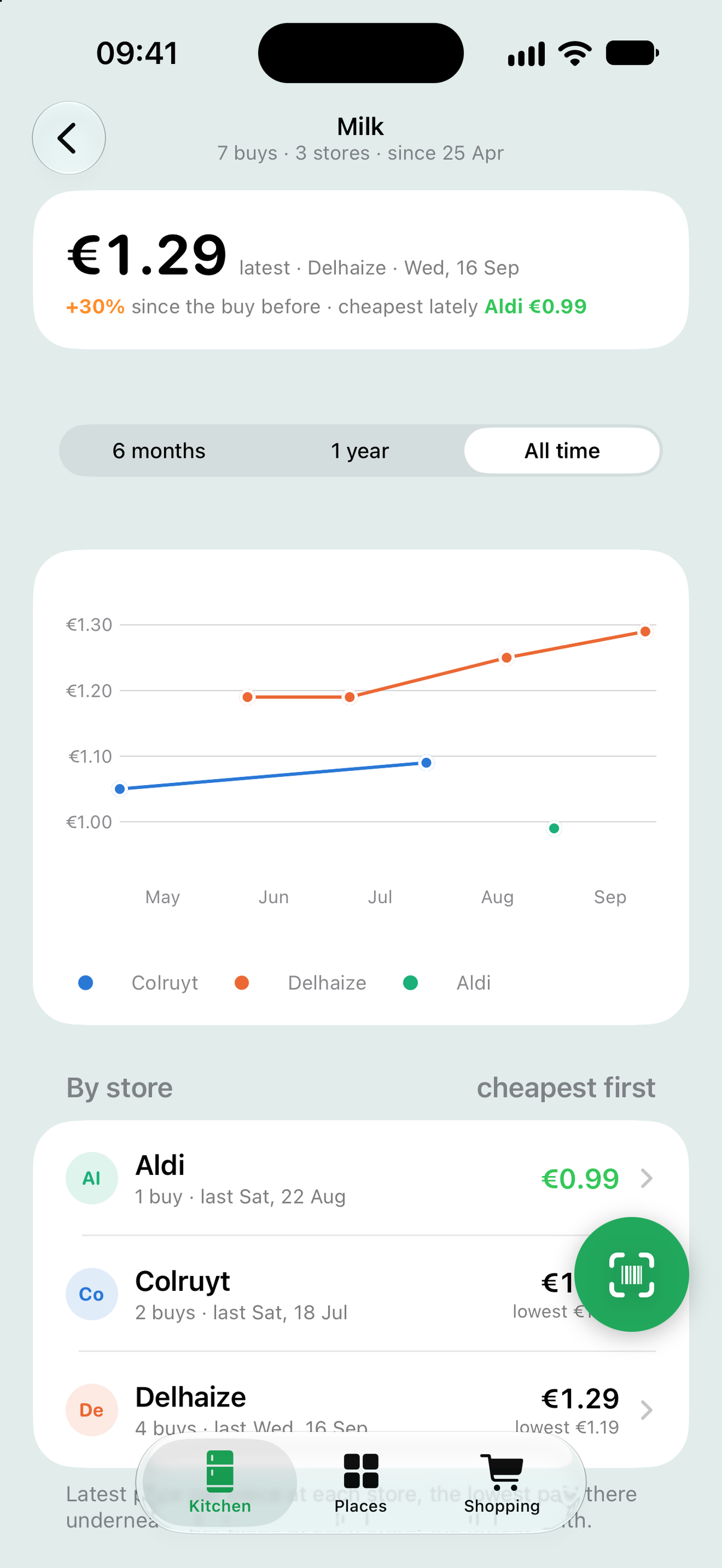
Under Price watch, every product with two or more priced buys shows how its price moved. Tap one for the full graph: every buy on a date line, one line per store, with the cheapest store lately named at the top. Every product also has a Bought section on its own page, listing what you paid, where, and when, with Add what you paid for anything you bought without a receipt.
Where the prices come from
Only from you: receipts you scanned and prices you typed on the shopping list. Still Good never looks prices up online, and none of it leaves your phone. If you start shopping somewhere new and the old prices are in the way, Settings has Forget prices and receipts, which keeps your kitchen, places and list. Erase everything is there too.
Tip: a “best before” item eaten a day late counts as past its date. The date is the deadline, on purpose, so the numbers stay honest.