 ClipWall
 Play videos as your wallpaper
ClipWall plays your own video clips as your Mac's wallpaper, looping quietly behind your icons. Pick a few and it moves between them, fading one into the next, and it stops playing whenever the desktop is covered.
Guides
It lives in the menu bar
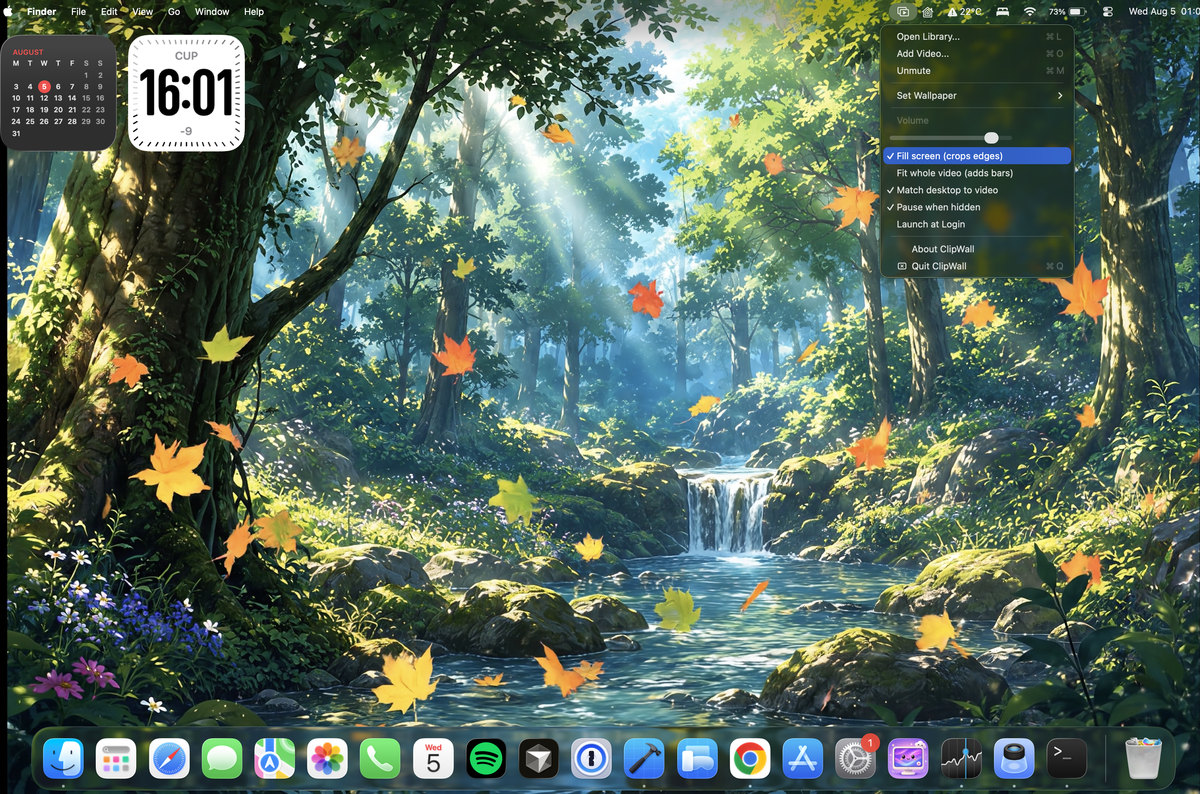
There is no app window and no Dock icon. Everything is one click away in the menu bar: set a wallpaper, fill the screen or fit the whole frame, adjust the volume, and keep the macOS menu bar readable over your video. It also stops playing whenever the desktop is covered, so it never burns battery on a video nobody can see.
Your clips, in one place
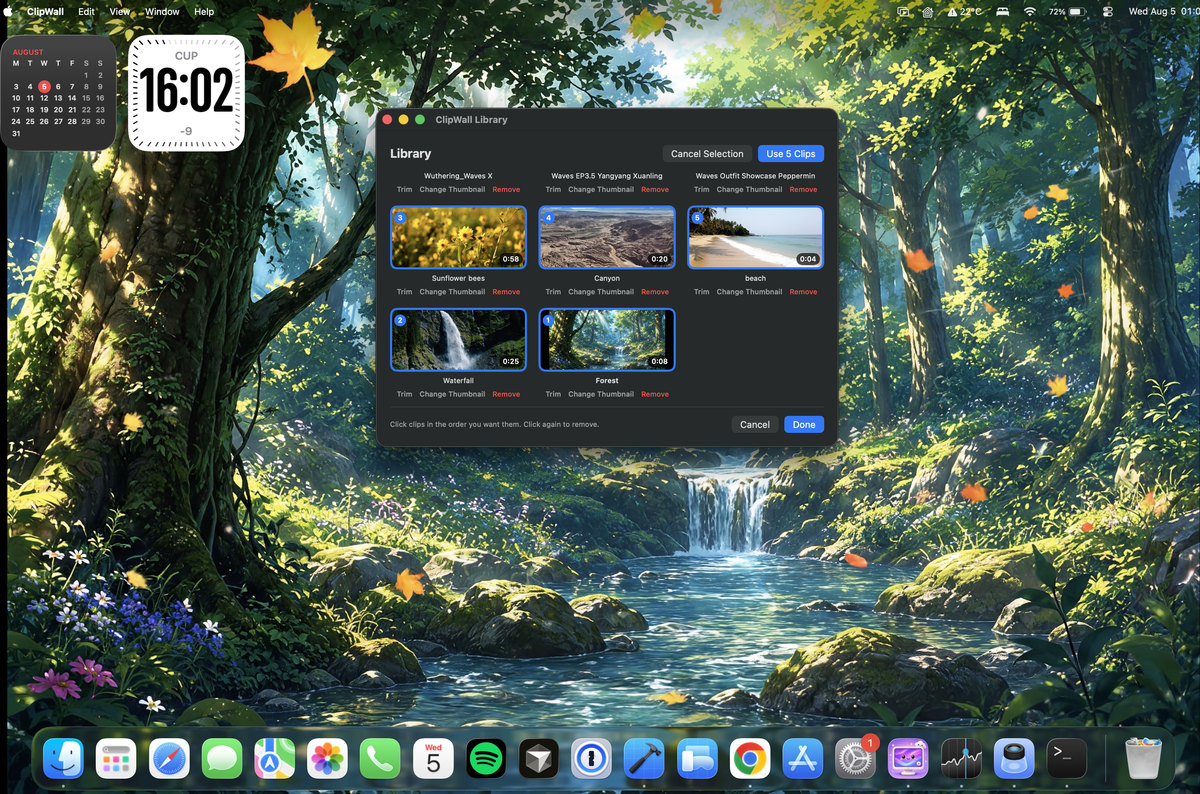
Add a video and it plays. Pick several and ClipWall moves through them, letting each one finish before it fades into the next. Give each display its own clip, or choose any frame of a clip as its thumbnail.
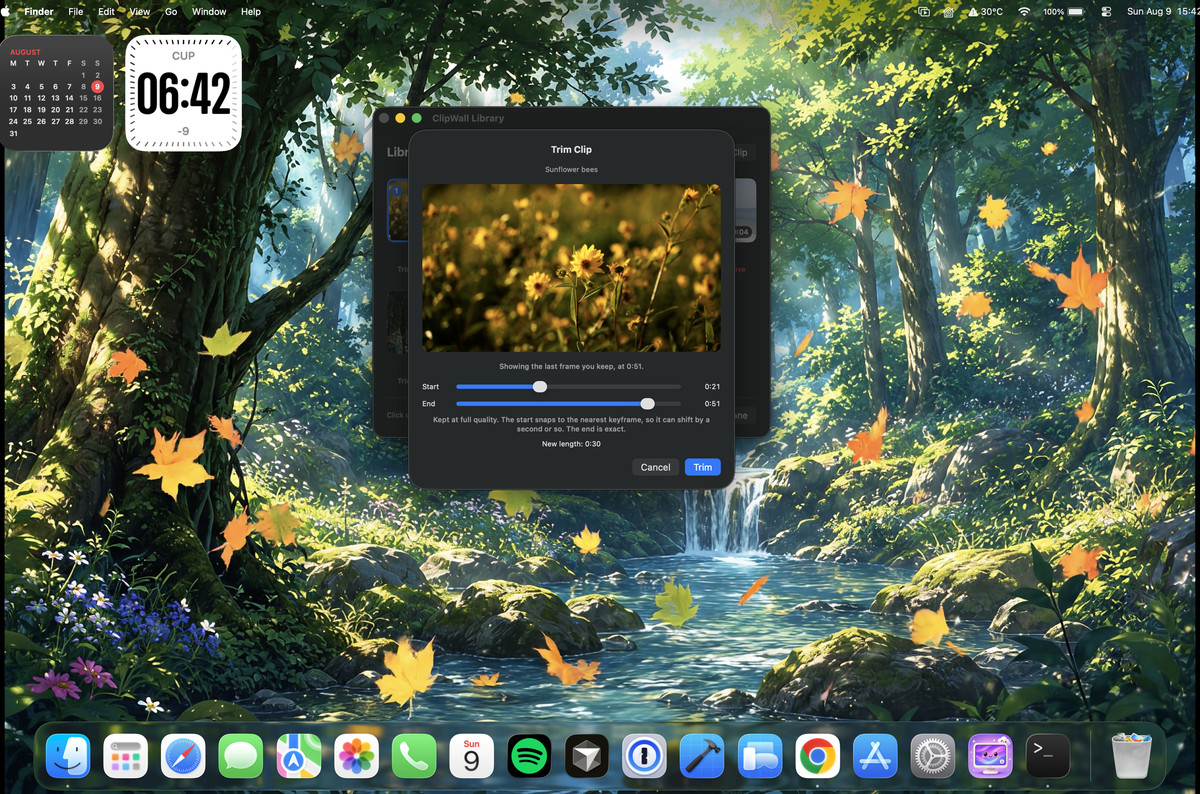
Trim to just the part you want
Drag the start and end to keep the section you like. Nothing is re-encoded, so the picture never gets softer, and your original file is never touched. You can re-trim any time, and each trim starts again from the original.