
Shopping list and receipts
Keep a list of what to buy, tick things straight into your kitchen, and scan a whole receipt at once.
The Shopping tab closes the loop. What runs out goes on the list, what you buy goes into the kitchen, and a receipt can do the whole thing in one go.
A list that feeds your kitchen
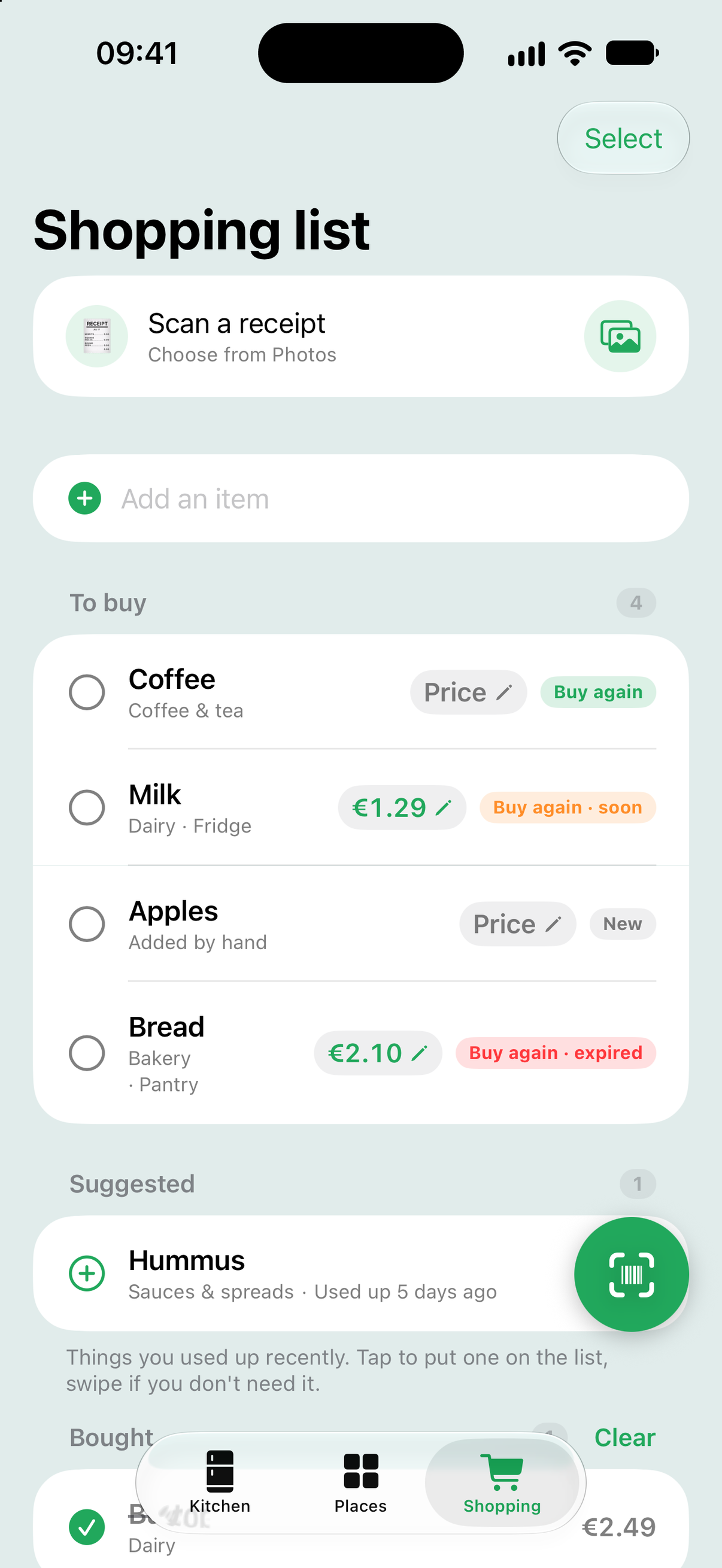
Type anything into Add an item, or swipe right on something in your kitchen and tap Buy again. Things you used up recently appear under Suggested, so you do not have to remember them. When you are back from the shop, tick a line off: it lands in your kitchen with an estimated best-before date, ready to track.
Prices and stores, if you want them
Every line can carry a price and a store. Tap the price capsule on a line to set them. Ticking the line off remembers both, so the next time you buy the same thing the price is already there, and the impact page can tell you what your waste costs.
Scan a whole receipt
Tap Scan a receipt at the top of the Shopping tab. Photograph the receipt with the camera, or tap the Photos button to pick a photo you already took. A receipt from a supermarket app works too: take a screenshot of it and pick that.
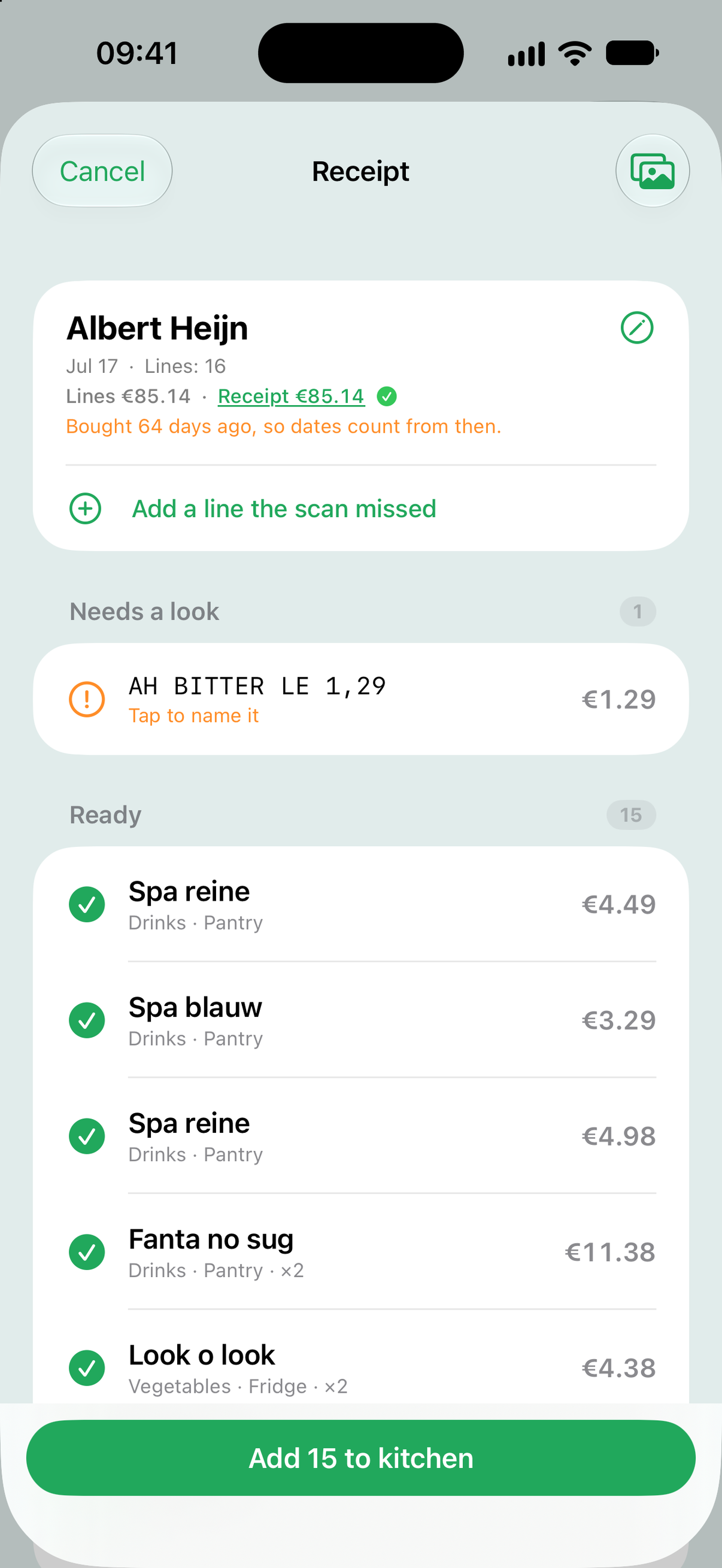
Still Good reads every line and shows you the result before anything is added. Lines it is sure about sit under Ready, with a name, category, place and price. Lines it could not fully read sit under Needs a look: tap one to name it, pick a category, or mark it as not food. Anything you fix is remembered, so the same printed line is recognised next time.
The total keeps it honest
The header compares the lines Still Good read with the total printed on the receipt. When they match you get a green check. When they do not, the difference is shown as money, so a missed line or a misread price is easy to spot. Tap the printed total to correct it, or Add a line the scan missed.
Scanned it twice?
No harm done. Still Good recognises a receipt it has already added and only offers what is new, and corrects a price it read differently. Nothing is added twice.
Tip: dates on a receipt are estimated from the day you bought things. An old receipt scanned weeks later will put items straight into Use soon or Expired, which is exactly where they belong.