
Getting started with Pavement Paws
Let it find you, pick what you walk on, plan the day, and tell it about your dog.
Pavement Paws answers one question: when can I walk the dog today? It estimates how hot the ground gets in the sun, hour by hour, from your local forecast, and from version 1.1 it also looks at your dog. Setting it up takes a minute.
1. Let it find you, pick the ground
The first time you open the app, allow your location while using the app. Pavement Paws only needs to know roughly where you are, about a kilometre, to get the local forecast.
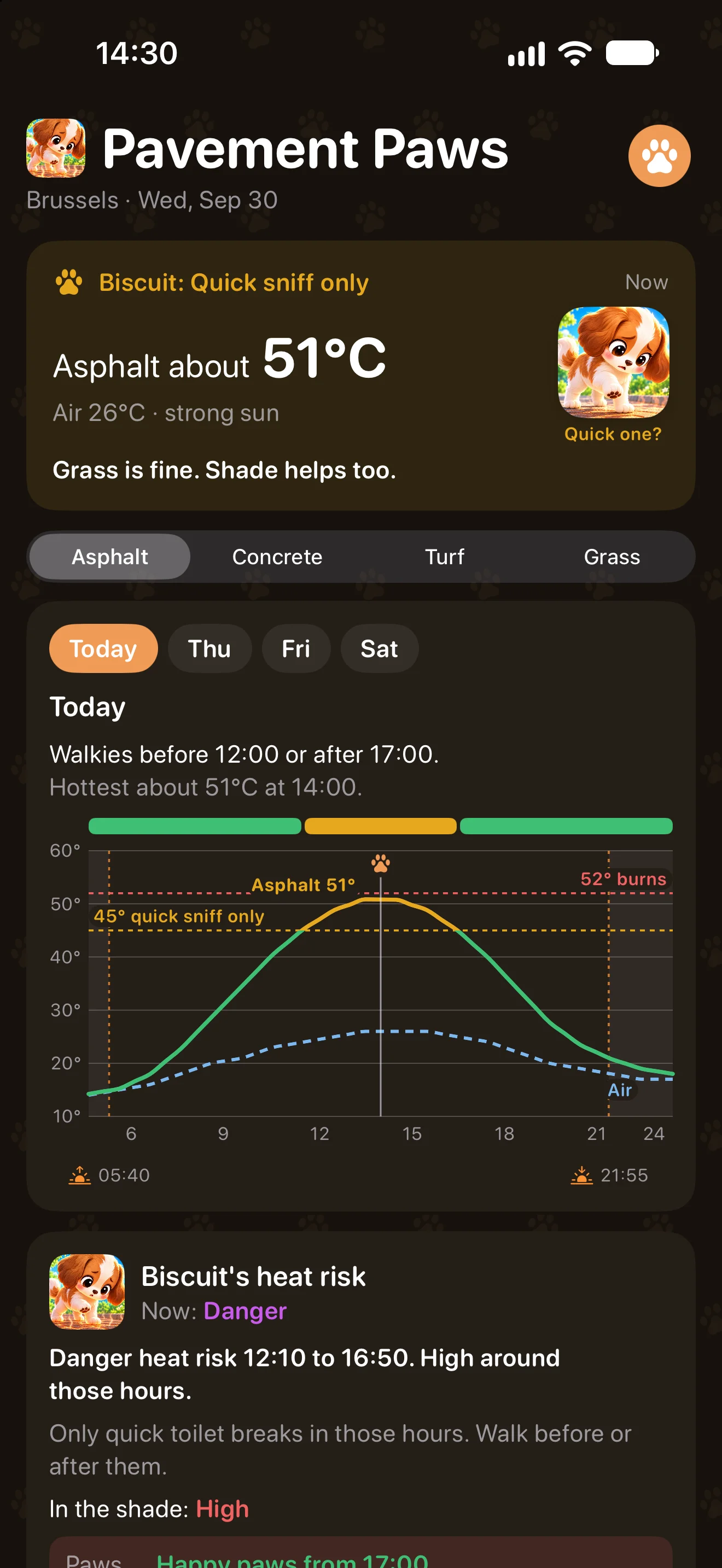
The top card tells you how hot the ground is right now and how your dog would feel about it: Happy paws, Quick sniff only or Paws off! Below it, pick what you walk on: asphalt, concrete, artificial turf or grass. They heat up very differently, so the whole screen follows your choice. When the ground is too hot, the card tells you whether grass is fine instead.
2. Plan the day, and the days after
The Today card gives the answer in one line, such as “Walkies before 12:00 or after 17:00”, and shows the whole day. The chart labels each line: the ground in full sun, the air, the 45° line where it becomes a quick sniff only and the 52° line where paws burn. The red area says how long the ground stays too hot.
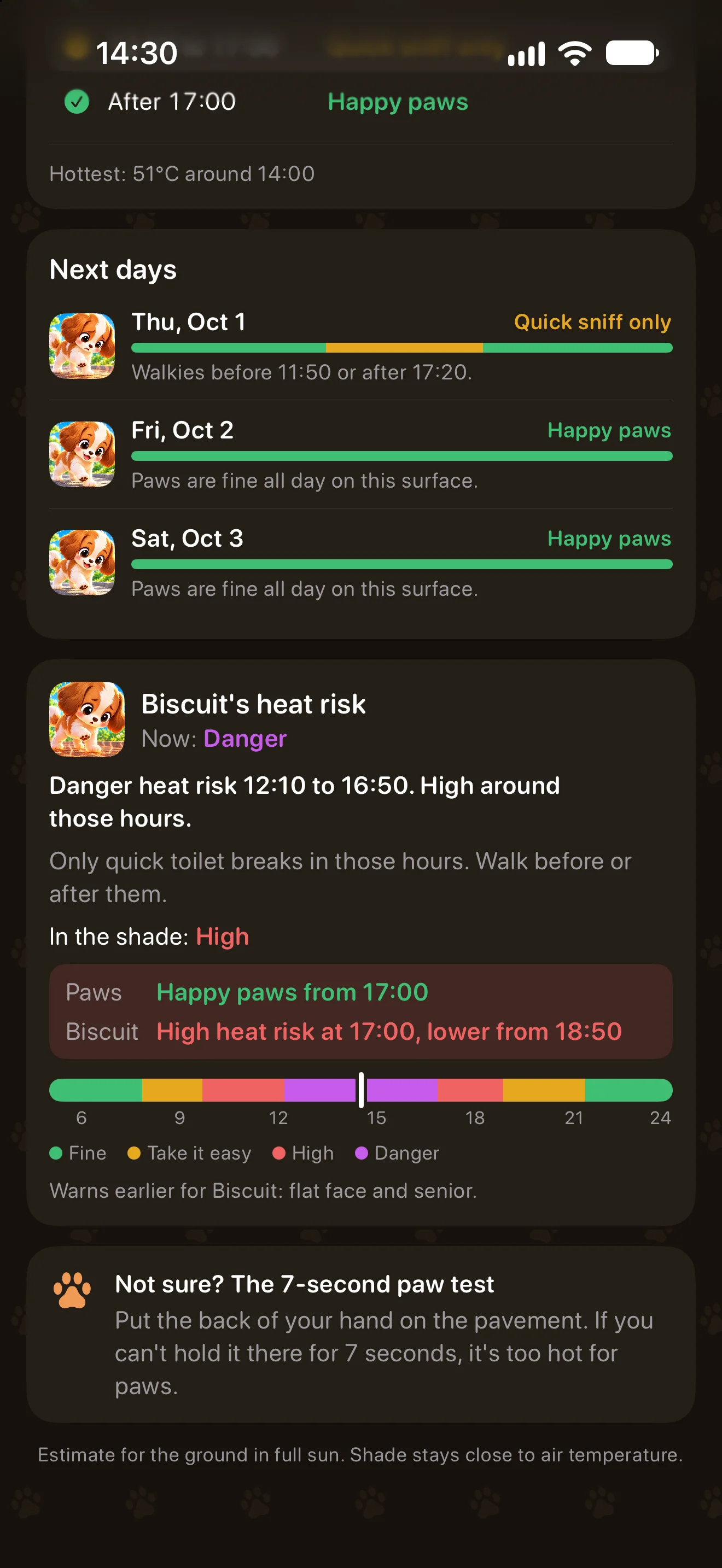
Tap Wed, Thu or Fri above the chart to plan ahead. Prefer a plain list? Choose Simple list under Settings › Today card: the day comes as stretches with times, and a Next days card shows the coming days at a glance.
3. Tell it about your dog
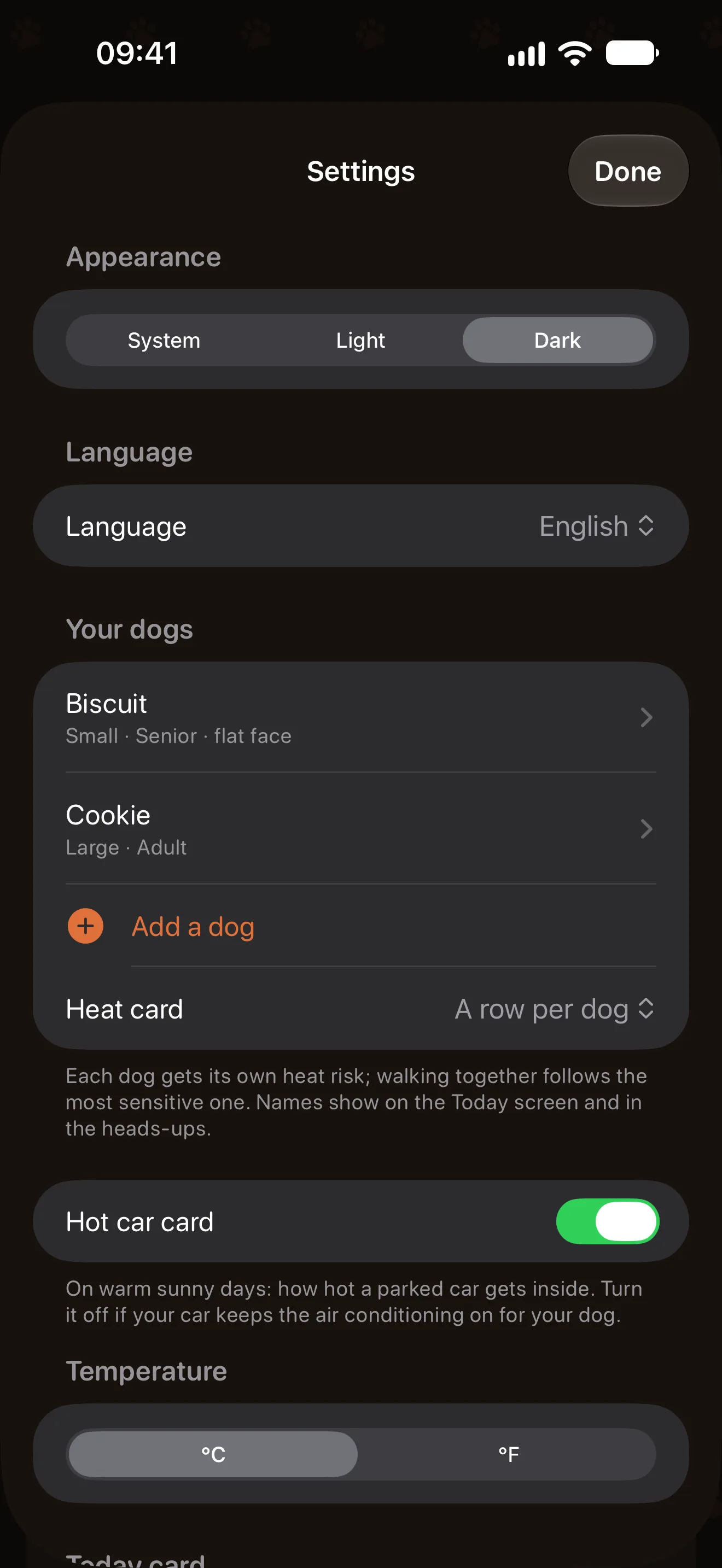
Open Settings with the paw button at the top right. Under Your dogs, tap your dog (or Add your dog), give it a name and set its size and age, and whether it has a flat face (pug, bulldog, boxer and the like), a thick coat or some extra weight.
These make the heat warnings come sooner for the dogs that need it, and the cold ones too in winter. The name shows up on the cards and in the heads-ups.
More than one dog? Tap Add a dog, up to five. Each gets its own heat risk, and the card tells you when you can walk them together: that follows the most sensitive dog, for example “Together: go with Biscuit’s times, before 09:40 or after 18:50”, with when the others could go on their own.
4. Your dog’s own heat risk
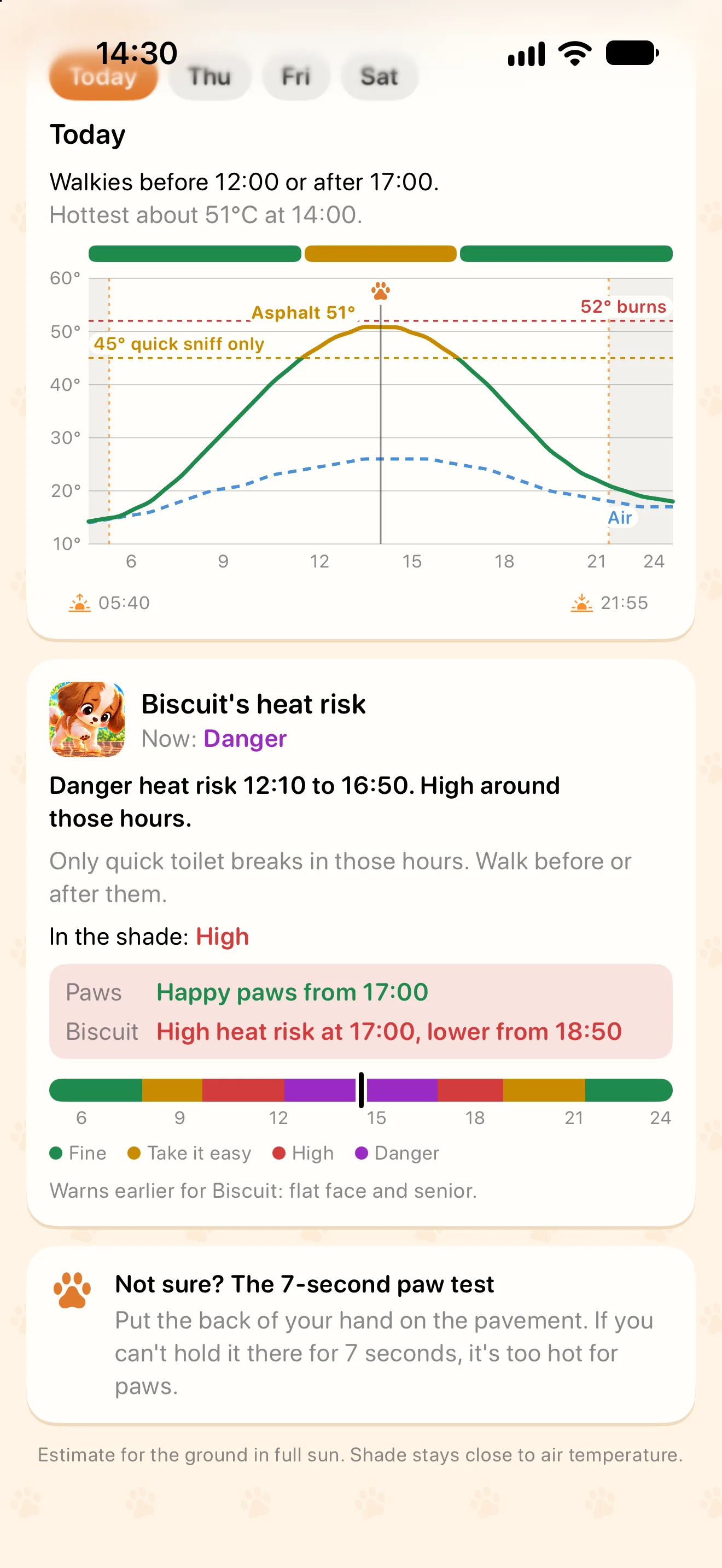
The ground is only half the story. A dog can overheat on cool grass when the air is hot, sticky and sunny. The heat risk card rates the weather for your dog from Fine to Danger, says when, what to do, and what shade changes. On days when the ground cools before your dog would, it shows both side by side, so you know when to actually go.
On warm sunny days a card also shows how hot a parked car gets inside. If your car keeps the air conditioning on for your dog, you can switch that card off in Settings.
The guide “How your dog’s heat and cold risk works” explains the levels and where they come from, in summer and in winter.
5. In winter: your dogs in the cold
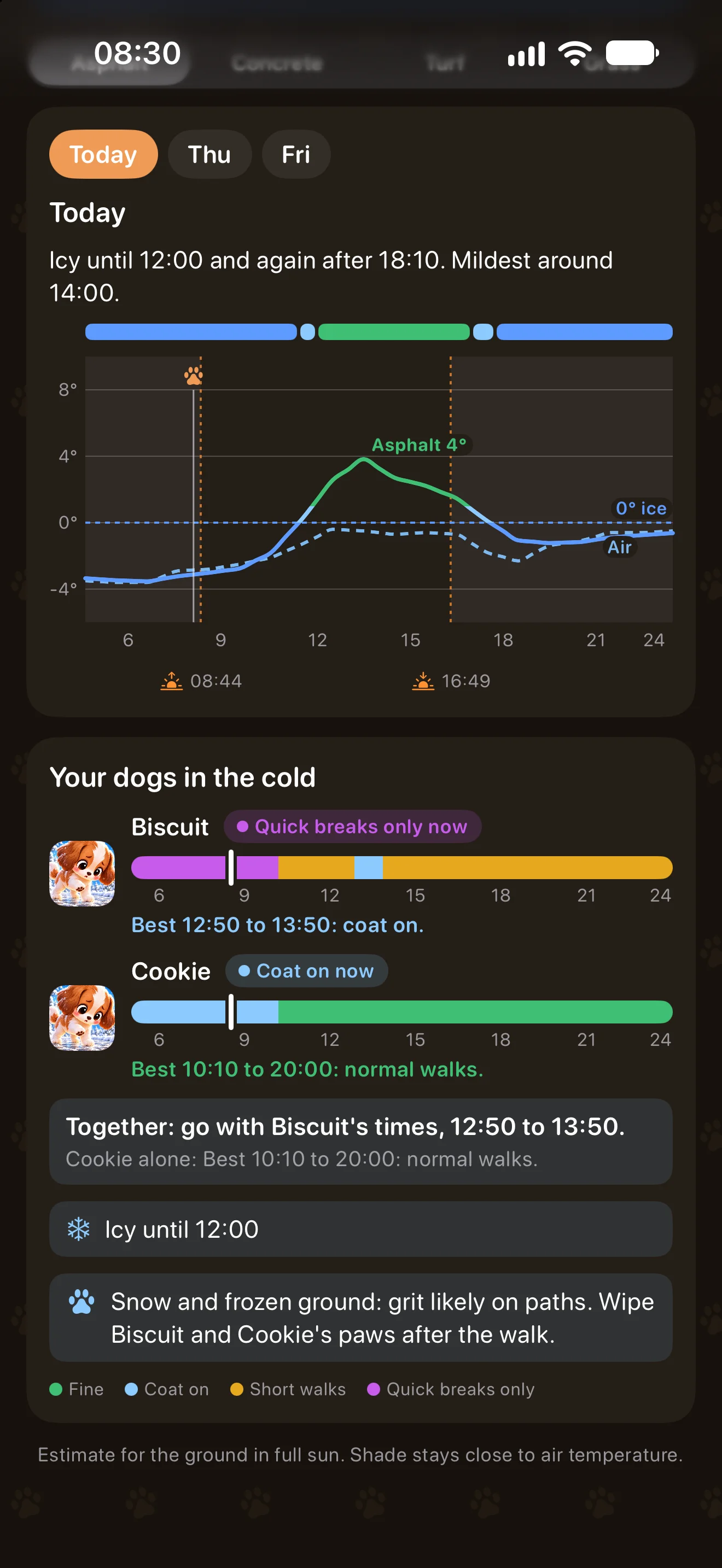
On cold days each dog gets a band for the day, from Fine and Coat on to Short walks and Quick breaks only, with the best time to go. It counts wind and sun, the way the weather feels for people outdoors: an icy wind makes a mild-looking day colder. Most dogs cope about as well as we do; small, young and old dogs feel it sooner, and a thick coat helps.
When the ground freezes, the screen also says when it is icy, and after snow that paths are likely gritted (wipe the paws afterwards).
6. Heads-ups, widgets and Siri
Turn on the morning heads-up in Settings and Pavement Paws sends a notification on days the ground gets too warm, with when to walk. The evening heads-up is for walks after work: it says when the ground cools down.
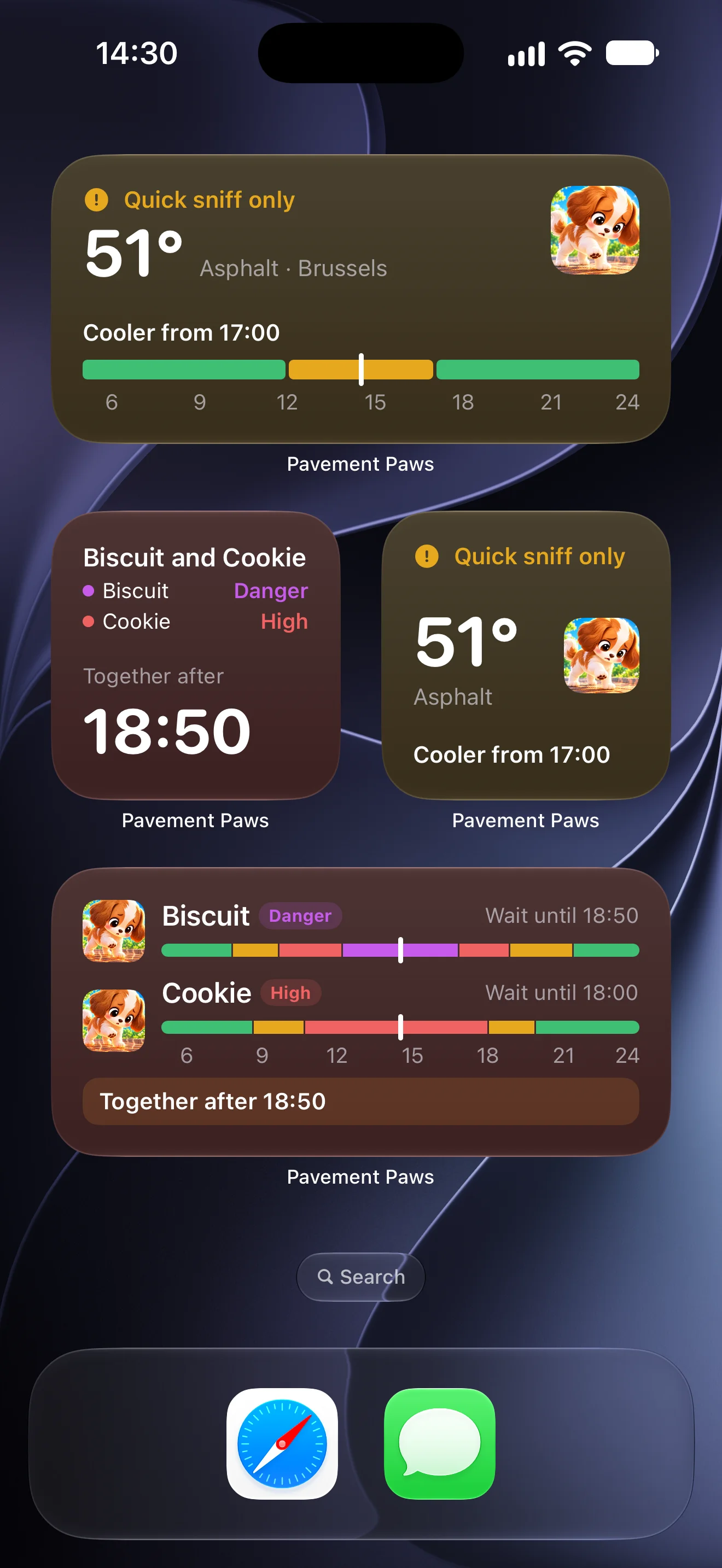
Add a Pavement Paws widget to your home screen or Lock Screen to see the ground at a glance, and the Dog heat risk widget to see when your dogs can go out: long-press it and choose Edit Widget to show one dog or all of them together. In winter it shows when the ice goes and which dogs need a coat.
Or just ask: “Hey Siri, can I walk the dog with Pavement Paws?” Siri answers with the level right now and, if the ground is too hot, when it will be fine again. Siri needs the app’s name in the sentence. For a shorter phrase, open the Shortcuts app, add Pavement Paws’ “Can I walk the dog?” to a new shortcut and give it a name such as “Walkies?”: that name is what you say to Siri. Open the app once first so it knows where you are. The Siri phrases work in English for now.
It is an estimate from a forecast, not a measurement. When in doubt, use the 7-second test: put the back of your hand on the ground. If you can’t hold it there for seven seconds, it’s too hot for paws.